Lesson 8 - How Applications Talk to Each Other

Have a look at the picture below.
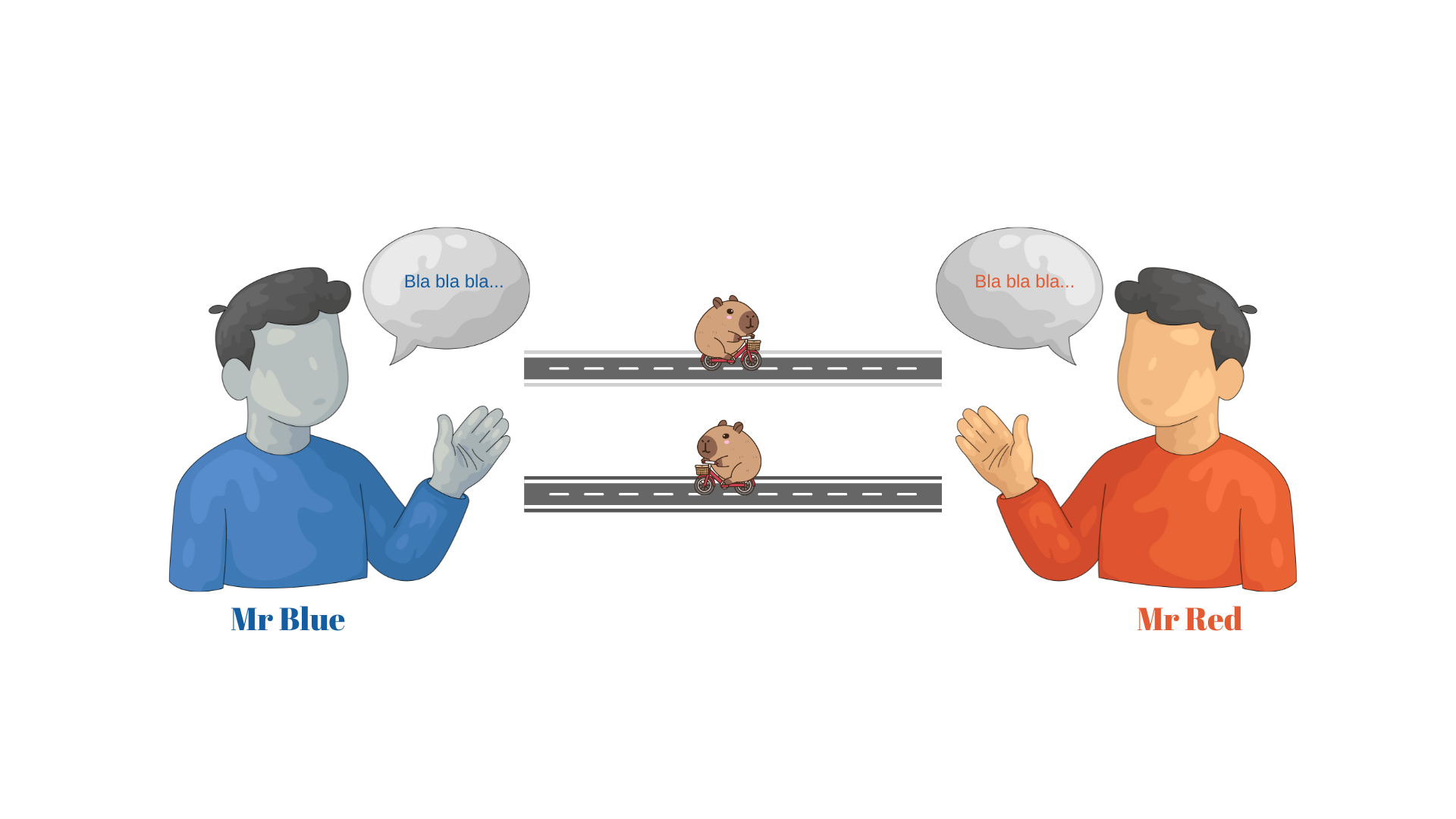
Here we have Mr Blue and Mr Red.
These guys need to have a discussion but Mr Blue only speaks Blue while Mr Red only speaks Red.
So what to do?
Well, it's simple really.
We do what we have always been doing in cases like these.
We find somebody that can speak both Blue and Red.
We call that somebody a translator.
So, we found this little guy to translate for us.
We gave him the addresses of both Mr Blue and Mr Red,
and we gave him a little bicycle so he could travel between Mr Blue and Mr Red.
His job is simple.
Mr Blue says something to Mr Translator who then pedals all the way to Mr Red and tells him what Mr Red said.
The reverse is also true.
And so Mr Translator goes forwards and backwards until there is nothing more to say.
Computer Talk
Computers and their applications talk with each other in a similar way.
For example, if you want to print out an email message, your computer needs to tell the printer to do so.
The printer, however, was not made by the same people who made your computer, so there is a good chance that they will not understand each other.
To solve this problem, we need a translator.
The translator in this case is called a driver.
These drivers are clever little things in that they know how to translate the instructions coming from the computer in a way that the printer can understand what to do.
Problem solved!
But there are other types of communications too.
Say you do a Google search.
How does the search criteria you typed in your computer reach a server somewhere else in the world?
And once it gets there, how is the server going to understand what to do?
This is where out little guy with his little bicycle comes in.
He will take the criteria you want to search on and go tell the server what to do.
And he needs his little bicycle to get from your computer to the server.
In computer terms, we call this guy and his bicycle protocols.
We will from now on call Mr Translator HTTP which is short for Hypertext Transfer Protocol, and we will call his little bicycle TCP/IP which is short for Transmission Control Protocol/Internet Protocol.
No wonder they prefer to call it TCP/IP.
HTTP
As said, HTTP is short for Hypertext Transfer Protocol and is what is called an Application Layer Protocol.
HTTP understands what is requested by the Client and will go and tell that to the Server.
If it only can get to the Server, of course.
When I was a child, there were no personal computers and needless to say, the Internet was years away.
But we didn't miss it as we actually played outside, got dirty, fell out of trees, and broke bones.
Those were the days...
Anyway, a favourite thing was to form gangs.
Each gang had a secret way of writing so that the other gang would not know what has been said.
These days we call that process encryption.
Now, HTTP has a cousin that is called HTTPS which is short for Hypertext Transfer Protocol Secure.
What HTTPS does is quite clever.
It's like it's in a gang.
It takes the data and encrypts it so that nobody will take a peek at it as it travels between the Client and Server.
This prevents, for example, hackers seeing your passwords.
To be honest, probably a lot of people take a peek at these messages as they travel between Client and Server,
but they will not be able to understand them as they do not have the key to decrypt the messages.
Only the Server can do that.
By the way, we call this travels between Client and Server and back to Client the request-response cycle.
So how is the HTTP message going to get to the Server?
It needs to order a little Uber bicycle.
TCP/IP
As I said earlier,
TCP/IP is short for Transmission Control Protocol/Internet Protocol and is what is called a Transport Layer Protocol.
TCP/IP knows how to get around.
It really is the Uber of the Internet.
It does not care who or what the message is that needs to be delivered.
It will pick up the message (an HTTP message in our example) from the Client and deliver it to the Server.
Then its job is done.
JDBC
When our Java application needs to talk with a relational database, we once again need a little guy on a bicycle.
In this case, our Java application will talk to the database via a JDBC driver.
This JDBC driver translates the request from our Java application in a way that the database knows what to do.
That can be either run a query and return the results,
add this new data to the database, update the existing data with this new data, or delete this data from the database.
XML and JSON
In order to transfer data from one place to another, we need to package it neatly into a 'container' before shipping it off.
There are two popular containers or formats to package this data into; XML, and JSON.
XML which is short for Extensible Markup Language, and JSON which is short for JavaScript Object Notation.
Have a look at the XML and JSON examples below.
They contain exactly the same data, just packaged differently.
XML
<people>
    <person>
        <firstName>John</firstName>
        <lastName>Smith</lastName>
        <dateOfBirth>2001-03-14</dateOfBirth>
    </person>
    <person>
        <firstName>Sue</firstName>
        <lastName>Anderson</lastName>
        <dateOfBirth>204-02-11</dateOfBirth>
    </person>
</people>
JSON
{
  "people": {
    "person": [
      {
        "firstName": "John",
        "lastName": "Smith",
        "dateOfBirth": "2001-03-14"
      },
      {
        "firstName": "Sue",
        "lastName": "Anderson",
        "dateOfBirth": "204-02-11"
      }
    ]
  }
}
SOAP and REST
The last two protocols I want to discuss briefly are SOAP and REST.
SOAP is short for Simple Object Access Protocol and is used to send data in XML format between applications.
A good example is when a Brokerage sends policy information packaged in what is called and XML envelope via SOAP to the Insurer Quoting Engine.
The Insurer Quoting Engine then unpacks the XML data and uses it to generate a quote.
This quote is again packaged into an XML envelope and returned to the Brokerage via SOAP.
Now, lets tackle REST, which is short for Representational State Transfer.
REST is not a protocol.
I include it here because many beginners think that REST is a protocol.
REST is an architectural style that can use various data formats.
That said, JSON is by far the favourite data format used with REST applications.
Although SOAP is regarded as old school,
it is still widely used to transfer data between organizations, and I do not believe that this is going to change anytime soon.
With XML files, one can actually test the data quality with the use of XSD.
XSD is short for XML Schema Definition and is a set of rules that dictate the data that is allowed in the XML file.
For example, testing the incoming XML file against the XSD file,
the Insurer Quoting Engine can reject the XML file if it does not conform to the rules dictated by the XSD file and inform the Brokerage accordingly.
Such standardized feature is not really available in JSON.
I am sure there must be some solutions in place, but I do not believe that they are regarded as industry standards.
The Truth is Out There
Now there are various other protocols out there as well,
all designed to work somewhere specific in the world of Information Technology.
They are operating in the background, and we are usually blissfully unaware that they even exist.
This gives you a brief idea of what happens when applications talk with each other.
In this series, I will put the above protocols into practice by building applications that will talk with each other