Lesson 7 - Layers vs Tiers

You may have wondered what these layers are and what they look like.
In many ways, layers are conceptual, meaning they are ways of organizing your code so that your code stays manageable.
The bigger the application, the more important the manageability of the code base becomes.
You never want to end up with a thing called spaghetti code.
These layers are one of the lines of defense against spaghetti code.
But there is another concept to keep in mind also; tiers.
Where layers tell you what each part of the code base is responsible for, tiers tell you where each of these layers of code runs.
Let me explain with the help of some pictures.
Single-Tier Applications
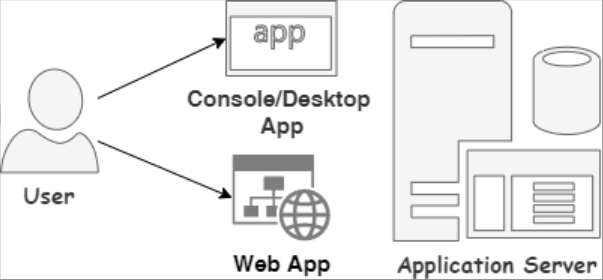
With a single-tier application, we have a single computer running the UI, the Business Logic, and the Database.
The User will typically be somebody in IT doing batch runs via a Console, Desktop, or Web application.
A typical example is a financial month-end run where the application doing the month-end run,
will for performance reasons be on the same computer where the database resides.
2-Tier Applications
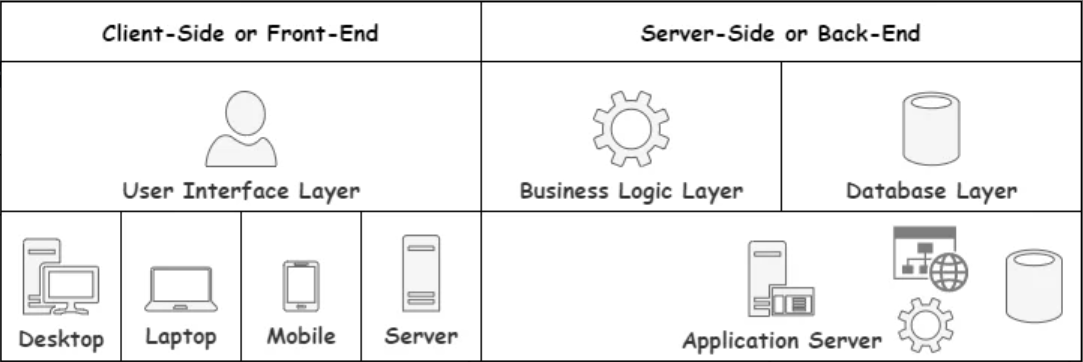
In the case of 2-Tier applications, the User is accessing the application from his own devices, such as a desktop computer, laptop, or mobile device.
This is in line with the fund transfer example we used earlier.
Thus, the User Interface Layer contains the visible part of the app.
In contrast, the back-end runs the Business Logic Layer and Database Layer on a single server.
Please note that a Server can also act as a Client by communicating with another Server or application.
Hence, I included the Server image on the client side of the picture.
3-Tier Applications
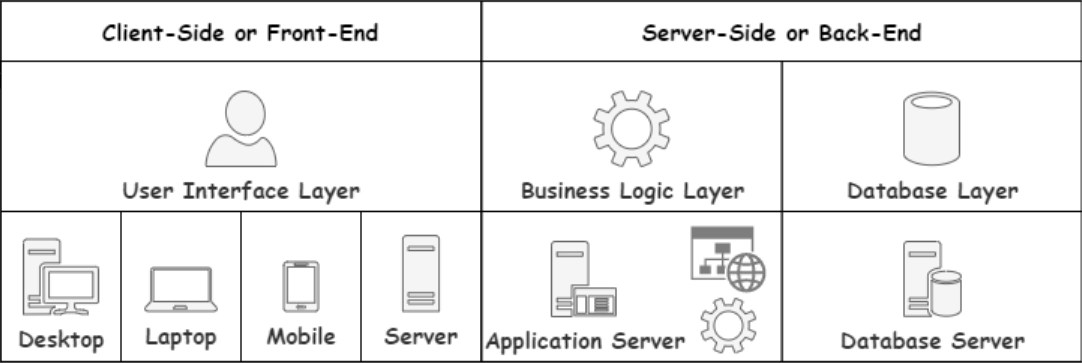
With 3-Tier Applications, we move the database to a separate Server.
This gives us more control in picking the proper hardware for the right job.
4-Tier Applications
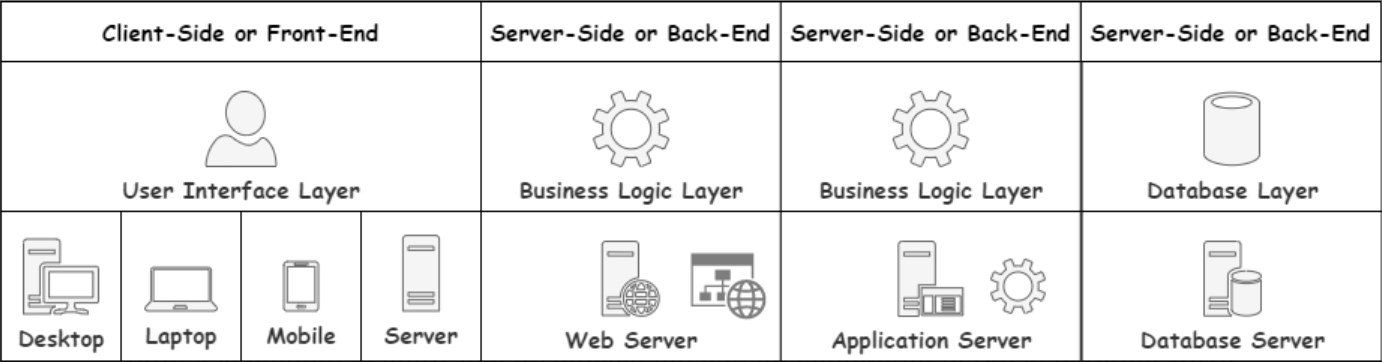
With 4-Tier applications, we go one step further and have the Business Access and Business Logic Layers run on separate servers.
Again, this helps in picking the proper hardware for the right job.
There are other benefits such as reverse proxies, load balancing, and circuit breaking.
These are not topics we will get into any time soon.
For now, it is enough to know that an application can be configured to run in different ways depending on the need.
Multi-Tier in The Cloud
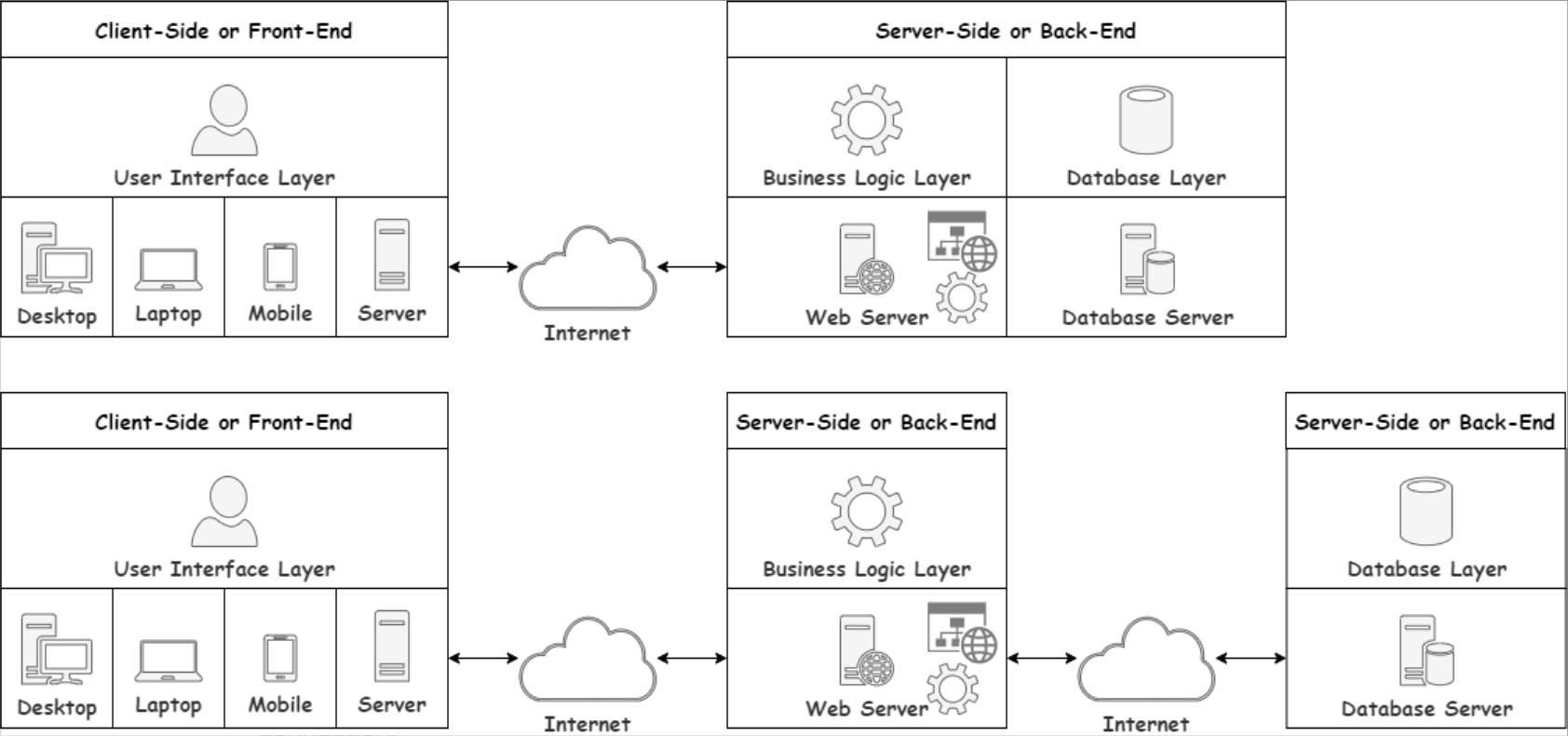
As we said in an earlier post, the Cloud is just Other People's Computers.
So, the two images above are very much what you can expect the configuration of most Information Systems to look like.
As you can see, the Client does not need to be even in the same building as the Server.
A network connecting to the Internet solves that problem for us.
In the bottom picture, you will see that even the Application and the Database can be in different locations worldwide as long as they can communicate via a network connection.
That is all I want to say about tiers for now.
It is a term that sometimes gets confused with layers,
so I thought it wise to tackle it early so we can avoid that confusion.